
The FMS in the MD-11 contains a navigation database that interfaces with the simulator for IFR flights. This navigation database contains tens of thousands of waypoints, airports, and procedures (SIDs & STARs).
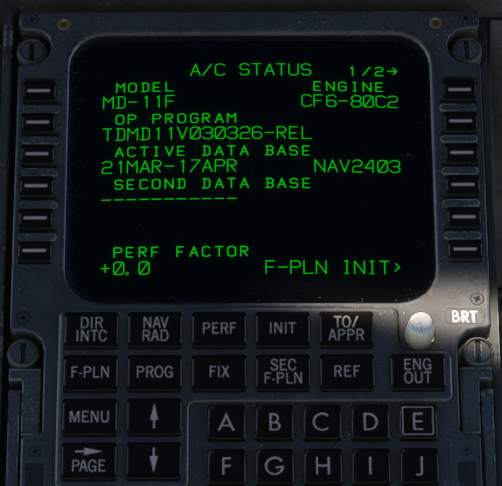
The A/C Status page tells us a few pieces of information about our aircraft and the navigation system that is onboard. In this case:
Model: MD-11F (Freighter)
Engine: CF6-80C2 (General Electric)
OP Program: The build date of the WASM file (March 3, 2026)
Active Data Base: 21MAR - 17APR | NAV2403
For the purposes of this article, we're just going to discuss that 4th value, the Active Data Base. In this photo, this is the default navigation database that ships with the MD-11, it is also the default navigation database cycle that is available on SimBrief. That last bit of information is important.
SimBrief + Navigraph
SimBrief is an extremely popular online flight planning resource. SimBrief is free to use and interfaces nightly with the TFDi and if you're not familiar with the website, please visit - https://www.simbrief.com/home/
Navigraph is a navigation database and chart provider for Microsoft Flight Simulator. Navigraph, however, unlike SimBrief is not free, it is a subscription service - https://navigraph.com/pricing
If you subscribe to Navigraph there is a program they offer called Navigraph Hub that allows you to get updated navigation data that matches real world waypoints and procedures, that can be added to the simulator and many popular 3rd party aircraft that support Navigraph AIRAC data. It is important that if you subscribe to Navigraph that you have the simulator navigation database match the aircraft database, which matches the SimBrief database.
You do not need to have an active subscription with Navigraph to enjoy the MD-11, nor do you need to use Navigraph to fly on popular virtual aviation multiplayer networks like Vatsim or IVAO. But you will want to typically plan your flights using SimBrief if you fly on those networks to align your routing with expected inbound and outbound traffic routing for your flight following IFR procedures.
Understanding the Navigation Database
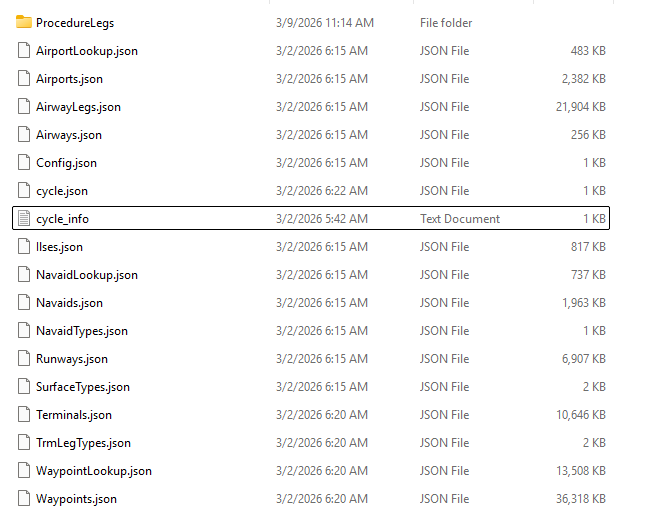
The database related files are stored within the Primary folder, located within the Data folder, inside of the main tfdidesign-aircraft-md11 folder (inside of your Community folder). If you're curious to see what cycle is loaded, you can open the cycle_info.txt file.
The AIRAC calendar typically has 13 releases, annually, running approximately 30-days per cycle. For example, at the timing of this article creation (March 11, 2026) we are on 2602 (2nd release of 2026) and a new AIRAC cycle begins on March 19, 2026. The Navigation Database, just like in the real plane, will need to be manually updated to receive the new cycle on March 19th.
The MD-11, by default, ships with NAV 2403 (March 21, 2024 - April 17, 2024), which is not current. However, this aligns with the navigation database that SimBrief uses which is the important distinction here.
Getting Started with SimBrief
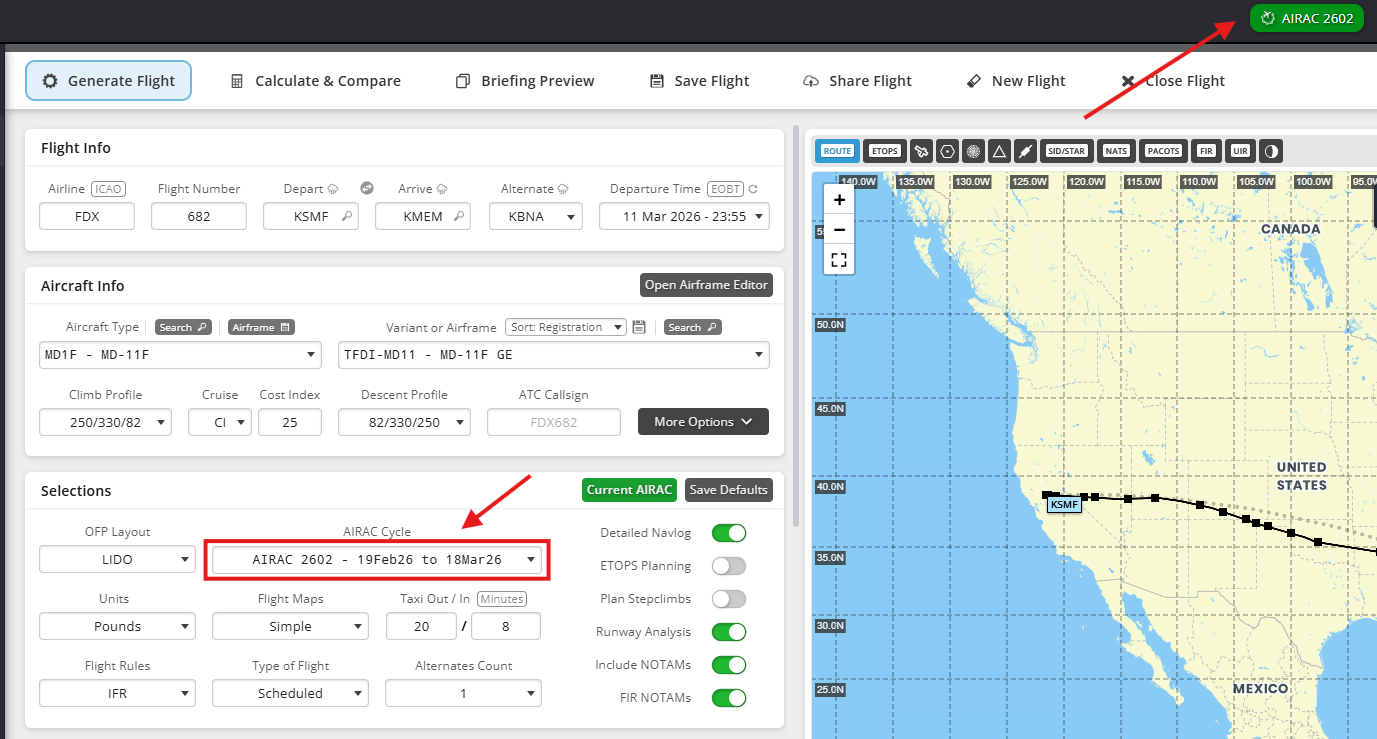
When you're planning your flight in SimBrief there are two critical areas to check to make sure there isn't a navigation database mismatch, that are highlighted in the above image: That SimBrief and the AIRAC cycle match, otherwise you run the risk of having a waypoint or procedure not match which will cause an import issue via the EFB.
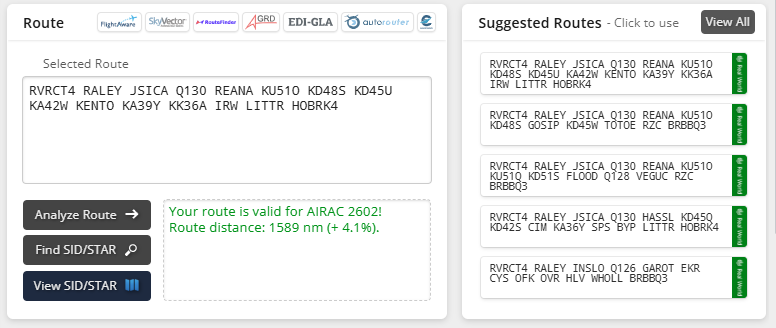
The next area to be mindful of is the route that SimBrief creates for you. In this case, our ~ 1600 nm route includes our SID (RVRCT4) a series of direct GPS waypoints, an airway (Q130) and finally our STAR into Memphis, the HOBRK4. SimBrief is very good good are building a compliant route for the selected departure and arrival runways, but it's not perfect. Always double check that for the given runways the appropriate departure and arrival procedures are selected. It is not uncommon to have an arrival runway change enroute and therefore the corresponding STAR.
Troubleshooting the #1 Error with the FMS (Unable to Load F-PLN)
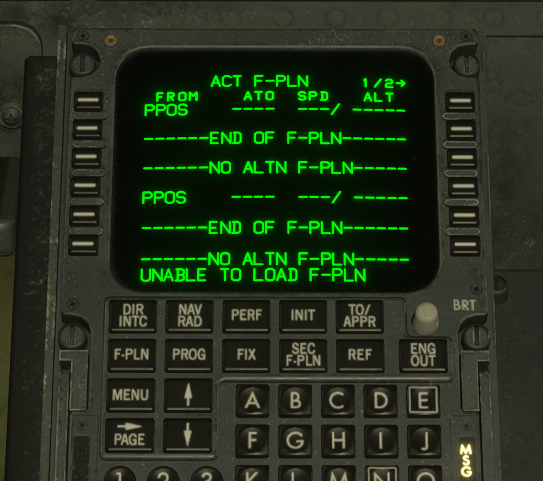
The dreaded UNABLE TO LOAD F-PLN that appears after importing the SimBrief route from the EFB. So what causes this? It's typically one of three things, and the list of symptoms is no particular order:
- NavData mismatch
- One-Way Airway used in reverse
- Waypoint not in MD-11 navigation database
Let's briefly talk through the above scenarios, because unfortunately this is where you'll need to some self-supported troubleshooting.
NavData mismatch - You used a newer or older AIRAC data set to plan the flight than the database that is loaded in the plane. This error was common before the March 9, 2026 (1.1.24) update as the default navigation database that shipped with the plan was from 2021. The current database of 2403 matches the default for SimBrief, as of the time of this article creation. However if SimBrief moves to a newer version then there exists a possibility that pilots will once again start to see this error.
One-Way Airway used in reverse - This is probably one of the most common errors we see when troubleshooting. SimBrief provides you with an airway but this particular airway is only valid for a certain direction of travel from A to B and you're trying to fly it from B to A. Not all aircraft validate the legitimacy of the airway entered, the MD-11 simulation does and will fail the import. Which is why your route may work in Product X but not with our aircraft.
SimBrief does not enforce airway directionality and as a result will sometimes provide invalid routes. A great example of this is GOVSA W66 DKO, a popular routing between the EU and Japan. The W66 used to be bi-directional through the 2513 cycle and then became unidirectional.
If you're interested in an extensive write up talking about it, as well airspace regs in China there's a great write up in their discussion forums - here.
Invalid waypoint or airway - While not a common error, we have a few cases where SimBrief provides a waypoint that is not in the navigation database for the MD-11.
So how do I fix this? In short, you'll have to either manually enter the flight plan until you discover what waypoint or airway is causing it to fail the import, or go back to SimBrief and validate via your preflight routine. We have seen a few cases where reloading the simulation fixes it, or running the import a 2nd time from the EFB allows it to take (when none of the above 3 three scenarios are violated).
Unlinked Oceanic waypoints
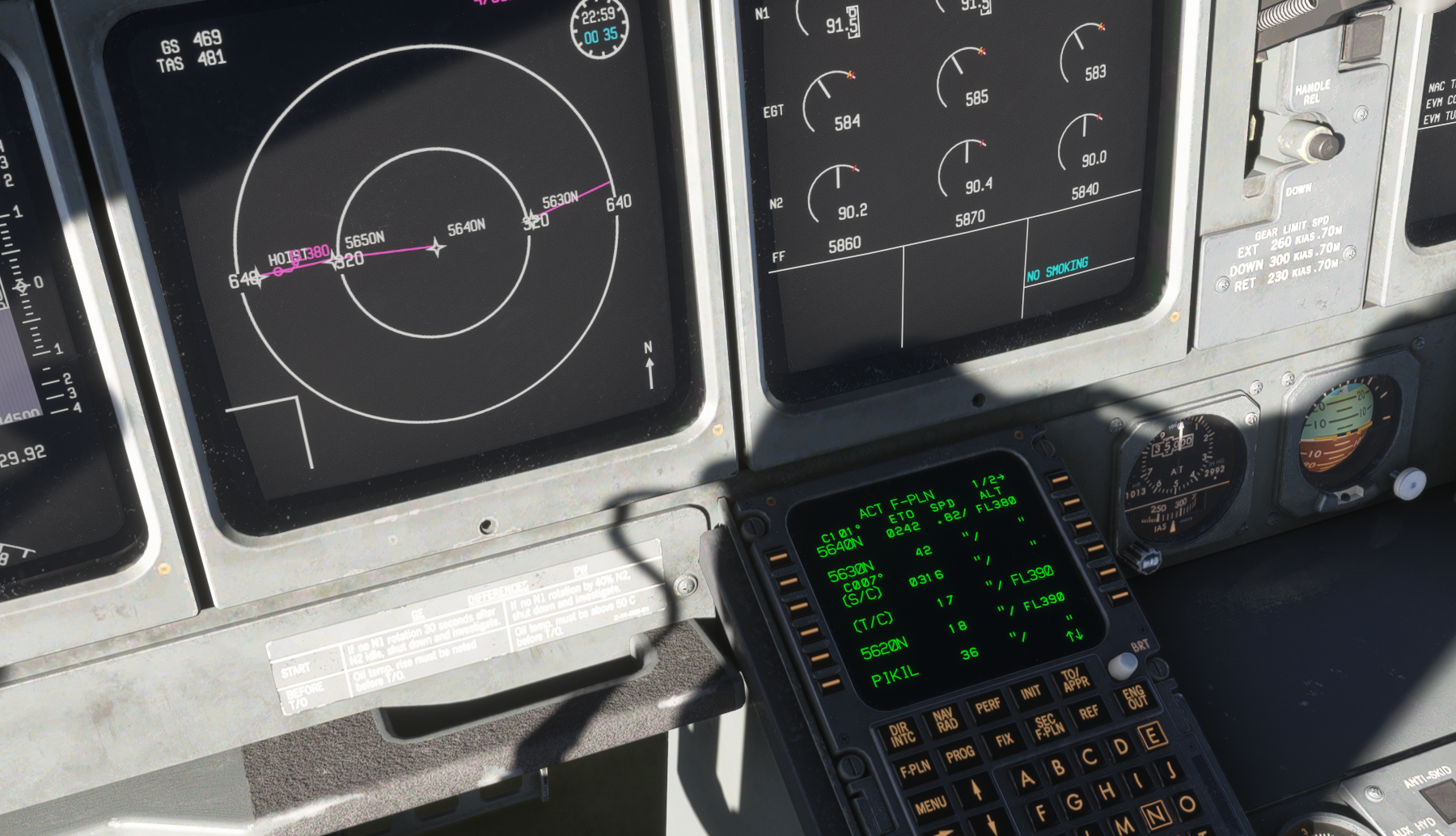
The LNAV back end for the MD-11 breaks up large 200nm+ segment lengths as during our development we observed odd behaviors and other tracking issues without programming this behavior. An unintended consequence of this design decision occasionally breaks the LNAV path drawing between the waypoints. From our extensive testing it is varied when it manifests in the sim. However when it does, the only immediate solution is to track to the new waypoint with a DIR TO command to avoid the plan drifting off outside of the intended route.
It is on our roadmap to address with a full "LNAV 2.0" rewrite.